

As mentioned previously, I’ve been able to spend a decent amount of time (thanks to Fueled) contributing to the WordPress AI plugin. This plugin comes with a number of Experiments that bring AI-related functionality into WordPress.
In a recent release, we added support for automatically generating featured images in WordPress (and yes, I did use that on this post). If you try this functionality out, it’s as simple as clicking a Generate Featured Image button and next thing you know, you’ll have a featured image generated, saved and set. But there’s some neat things we did behind the scenes to make this all work.
Abilities API
The WordPress AI plugin is built on top of the WordPress Abilities API. This means most of the functionality we use, we first extract into reusable Abilities that can then be packaged together as needed.
As an example here, we have an Ability that will generate an image. Another Ability that imports an image. And another that generates alt text for an image. None of these Abilities are specific to the featured image functionality in WordPress but they can all be used there.
Featured Images
When the image generation Experiment is turned on, we add a custom button, using the editor.PostFeaturedImage filter, above the core Set featured image button:
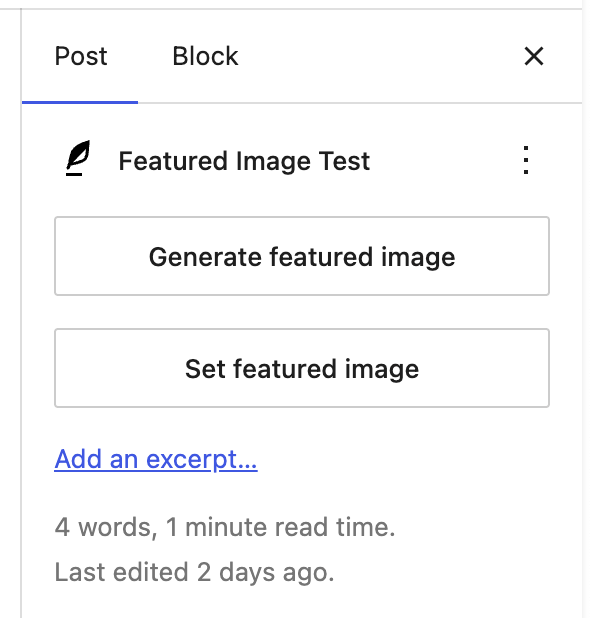
The only interaction a user needs to take is to click that button. This then fires off the following:
- Make a request to our
get-post-detailsAbility which will return details about the post (like title, content, content type, etc) - That context is sent to our
image-prompt-generationAbility. This will send the context off to an LLM with system instructions that guide it to build an image generation prompt. This allows us to generate images that (hopefully) relate to the content without the user having to write that prompt out themselves - The generated prompt is then passed to our
image-generationAbility which will send the prompt off and returns the generated image - If the generate alt text Experiment is turned on, we next pass the image to the
alt-text-generationAbility to generate alt text we can save with the image - Finally we run our
image-importAbility, importing the image, along with the alt text if we have it, and then setting that newly imported image as the featured image
Every step along the way we render a progress message so the user knows what is happening (i.e. Gathering context, Generating image prompt, Generating image, etc). This flow was optimized to get to a “done” state as quick as possible (click a button, wait 30 seconds, featured image is there). But definitely considering adding some more user control options in the future, like being able to modify the generated prompt or preview the image prior to import.
But as usual, one of the main goals here is to show how the various AI building blocks can be used in WordPress. In the future, all of these Abilities could be provided to an LLM as tools and it could then decide when to call each, instead of us calling those in a chain. Lots of possibilities here for the future!